
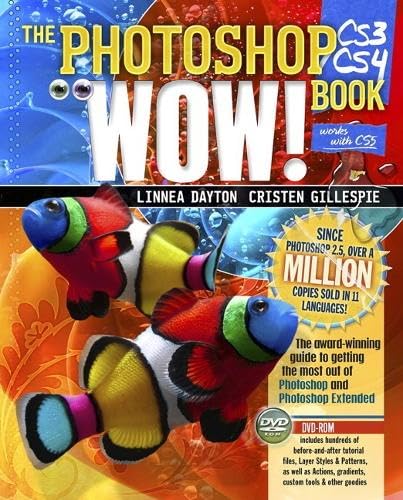
The Photoshop CS3/CS4 wow! book / Linnea Dayton, Cristen Gillespie.
Material type: TextPublication details: Berkeley, CA : Peachpit Press, c2010.Edition: [Windows/Mac ed.]Description: 792 p. : ill. (chiefly col.) ; 23 cm. + 1 DVD-ROM (4 3/4 in.)ISBN:
 - 9780321514950 (pbk.)
- 0321514955 (pbk.)
- 006.686 22
- T385 .D4438 2010
| Cover image | Item type | Current library | Home library | Collection | Shelving location | Call number | Materials specified | Vol info | URL | Copy number | Status | Notes | Date due | Barcode | Item holds | Item hold queue priority | Course reserves | |
|---|---|---|---|---|---|---|---|---|---|---|---|---|---|---|---|---|---|---|
 Books
Books
|
Centeral Library Second Floor - Computer Sciences | 006.686 D.L.P 2010 (Browse shelf(Opens below)) | Available | 24360 | ||||||||||||||
 Compact Disk
|
Centeral Library Second Floor - Computer Sciences | 006.686 D.L.P 2010 (Browse shelf(Opens below)) | Available | 310 CS | 900050166 | |||||||||||||
|
Compact Disk
|
Centeral Library Second Floor - Computer Sciences | 006.686 D.L.P 2010 (Browse shelf(Opens below)) | Available | 277 CS | 900050369 | |||||||||||||
|
Compact Disk
|
Centeral Library Second Floor - Computer Sciences | 006.686 D.L.P 2010 (Browse shelf(Opens below)) | Available | 281 CS | 900050178 | |||||||||||||
|
Compact Disk
|
Centeral Library Second Floor - Computer Sciences | 006.686 D.L.P 2010 (Browse shelf(Opens below)) | Available | 279 CS | 900050710 | |||||||||||||
|
Books
|
Centeral Library Second Floor - Computer Sciences | 006.686 D.L.P 2010 (Browse shelf(Opens below)) | Available | 14040 | ||||||||||||||
|
Books
|
Centeral Library Second Floor - Computer Sciences | 006.686 D.L.P 2010 (Browse shelf(Opens below)) | Available | 17070 | ||||||||||||||
|
Books
|
Centeral Library Second Floor - Computer Sciences | 006.686 D.L.P 2010 (Browse shelf(Opens below)) | Available | 19228 | ||||||||||||||
|
Books
|
Centeral Library Second Floor - Computer Sciences | 006.686 D.L.P 2010 (Browse shelf(Opens below)) | Available | 19229 | ||||||||||||||
|
Books
|
Centeral Library Second Floor - Computer Sciences | 006.686 D.L.P 2010 (Browse shelf(Opens below)) | Available | 22305 | ||||||||||||||
|
Books
|
Centeral Library Second Floor - Computer Sciences | 006.686 D.L.P 2010 (Browse shelf(Opens below)) | Available | 22306 | ||||||||||||||
|
Books
|
Centeral Library Second Floor - Computer Sciences | 006.686 D.L.P 2010 (Browse shelf(Opens below)) | Available | 14039 |
Browsing Centeral Library shelves,Shelving location: Second Floor - Computer Sciences Close shelf browser (Hides shelf browser)

|
|
|
|
|

|
|
||
| 006.686 D.L.P 2010 The Photoshop CS3/CS4 wow! book / | 006.686 D.L.P 2010 The Photoshop CS3/CS4 wow! book / | 006.686 D.L.P 2010 The Photoshop CS3/CS4 wow! book / | 006.686 D.L.P 2010 The Photoshop CS3/CS4 wow! book / | 006.686 D.L.P 2010 The Photoshop CS3/CS4 wow! book / | 006.686 M.D.A 2009 Adobe Photoshop CS4. | 006.686 M.D.A 2009 Adobe Photoshop CS4. |
Welcome to the Photoshop CS3/CS4 Wow! book -- What's new in Photoshop CS3/CS4? -- Fundamentals of Photoshop : How Photoshop thinks ; The Photoshop interface ; Working smart in Photoshop ; Recovering from mistakes ; Keeping Photoshop happy ; Getting an overview ; Anatomy of a Photoshop file -- Essential Photoshop skills : The essential skills ; Modifying selections ; Saving & loading selections ; Masking ; Blending ; Transforming & warping ; Understanding resampling ; Sizing up or sizing down ; Quick brush tip controls ; Exercising smart filters ; Exercising smart objects ; Exercising layer styles ; Quick masking & blending ; Exercising extract -- Getting in , Going fast & getting out : Getting in: input ; Going fast: automating ; Getting out: output ; Photoshop's companions ; Specialized output options ; Quick camera raw as a "front end" -- Color in Photoshop : What is color? ; Color modes ; Color depth ; Choosing or specifying colors ; Applying color ; Assessing color ; Adjusting color ; Getting consistent color ; Exercising gradients ; Duotones ; Quick tint effects ; From color to black & white ; Controlled recoloring ; Adding spot color -- Enhancing photos : Cropping ; Content-aware scaling ; Correcting for camera distortion ; Adjusting tone & color ; Retouching photos ; Noise reduction ; Sharpening ; Multi-shot techniques ; Repurposing photos ; Styling a photo ; "Framing" with masks ; Quick filtered frames ; Compensating for camera-related distortion ; Quick vignetting ; Quick tone & color adjustments ; Combing exposures ; Adjusting tone & color in camera raw ; Quick attention-focusing techniques ; Exercising lens blur ; Quick retouching from problem photos ; Quick retouching for sky ; Quick cosmetic changes ; Averaging out noise ; creating solitude ; Bringing out detail ; Quick ways to bring out detail ; In focus ; Softening the focus ; Hand-tinting a black & white photo ; Turning day into night -- Painting : First, a few words about terminology ; The painting tools ; The artists' cloning tools ; Choosing, editing & creating brush tips & tools ; The filling tools, fill layers & overlay effects ; "Painting" with filters & actions ; "Pre-conditioning" & "post-processing" ; Watercolor over ink ; "Wet on wet" acrylics ; Quick brush tips ; Pattern stamp watercolors ; Art history pastels ; Exercising Wow painting tools ; Quick "painting" with Wow actions --
Type & vector graphics : Type ; Drawing ; Editing shapes & paths ; Aligning paths & shape layers ; Transforming paths ; Stroking & filling paths ; "Softening" vector art ; Using Photoshop with Adobe Illustrator ; Exercising type layers ; Type on a circle ; Exercising drawing tools ; Organic graphics ; Quick filter treatments ; Coloring clip art ; Quick black & white graphics -- Special effects for type & graphics : Working with layer styles ; Understanding styles ; Layer style components ; Overlays ; Lighting in layer styles ; Satin ; Stroke ; Bevel and emboss ; Blending options ; Enhancing layer styles ; Adding dimension, color & texture ; Anatomy of "bumpy" ; Anatomy of clear color ; Custom chrome ; Anatomy of "shiny" ; Custom glass ; Anatomy of bevels ; Carving ; Quick neon type ; Quick FX: Wow actions ; Quick backgrounds & textures ; Quick seamless patterns -- Putting it all together : Composition methods ; Elements in a Photoshop file ; Choosing & preparing components ; FItting an element to a surface ; Creating panoramas ; Operating on several layers at once ; Reordering layers ; Merging & flattening ; Layer comps ; Adding type to an image ; Applying an image to a textured surface ; Liquifying a tattoo ; "Warping" graphics to a surface ; Exercising vanishing point ; Anatomy of masked groups ; Quick integration ; Exercising photomerge -- 3D, video & animation : 3D ; Video ; Animation ; Quick sources of 3D material ; Exercising 3D tools ; Exercising video: stills from video ; Exercising video: from Photoshop to video ; Animating a video clip ; Quick video techniques ; Animating frame-by-frame- Tweening & tweaking -- Measurement & analysis : Counting & measuring ; DICOM ; MATLAB ; Statistics ; Image sequences ; Some other useful functions ; Counting in Photoshop Extended ; Measuring in Photoshop Extended -- Appendixes : Filter demos ; Wow gradients ; Wow layer styles ; Wow patterns ; Artists and photographers -- On the Wow DVD : PS CS3-CS4 Wow presets ; Wow project files ; Wow goodies.
System requirements: DVD-ROM is designed to work with Photoshop CS3, Photoshop CS4, Photoshop CS3 Extended, and Photoshop CS4 Extended on Windows or Macintosh.
There are no comments on this title.